An affordable LMS for small businesses
Turn your documents into training.
Bring a handbook, policy or SOP, or write one here. Kordo turns it into a course you can edit, assign and track.
You pick your industry on the next page, then get an editable SOP you can turn into a course. Use a description without sensitive information. Content is sent to our AI providers. Privacy policy
Free to try. No account needed. Plans from $19/month for up to 15 people.
How it works
Start with a document
Upload what you already have, or answer a few questions and get an SOP.
Get a course
AI drafts the lessons and quizzes. You edit everything before anyone sees it.
Train your team
Assign it, set a due date and see who has finished.
One place to create, learn and track.
Edit the draft, add your own examples and choose how each lesson works.
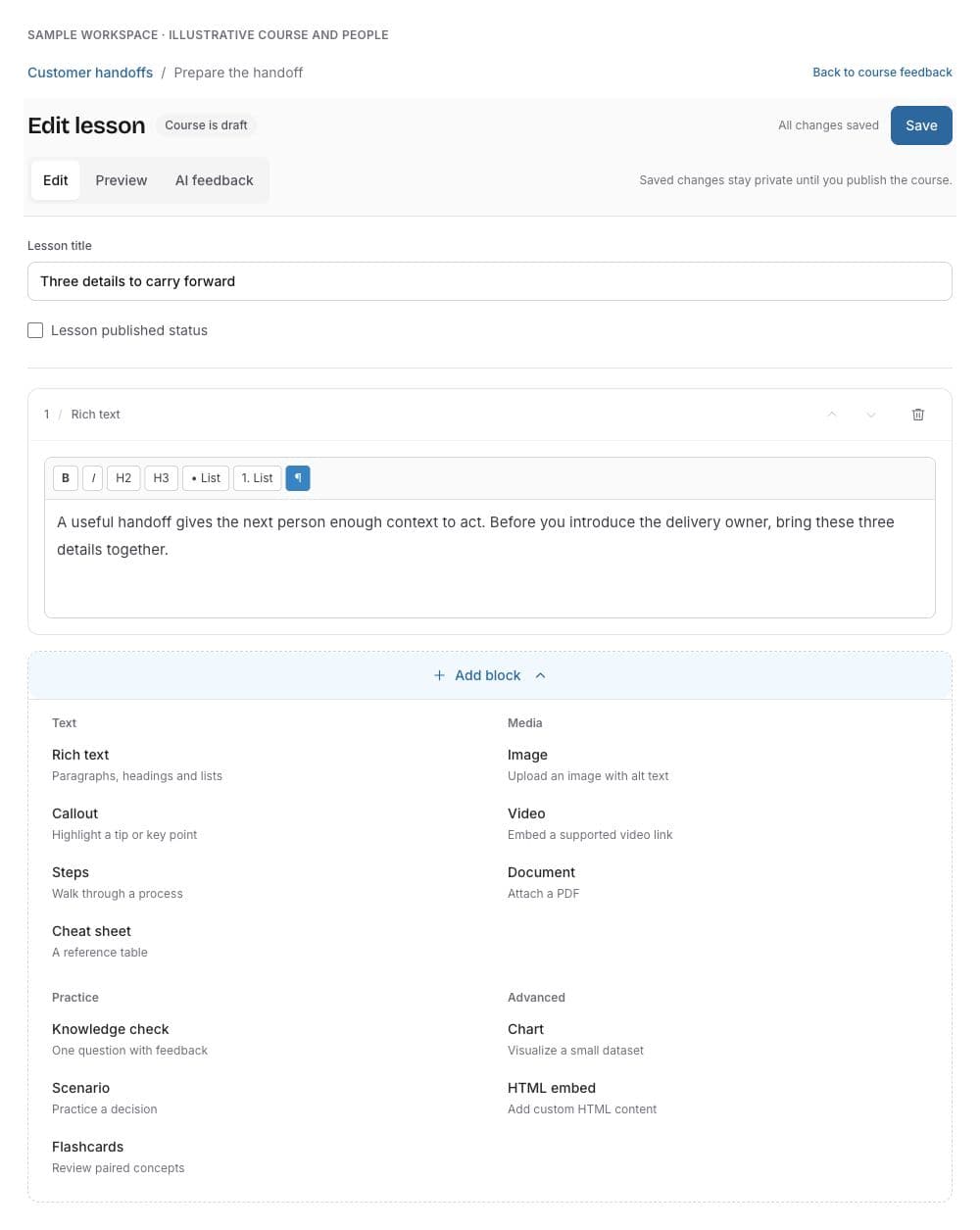
People read short lessons, try a realistic decision and get feedback.
Make every handoff clear.
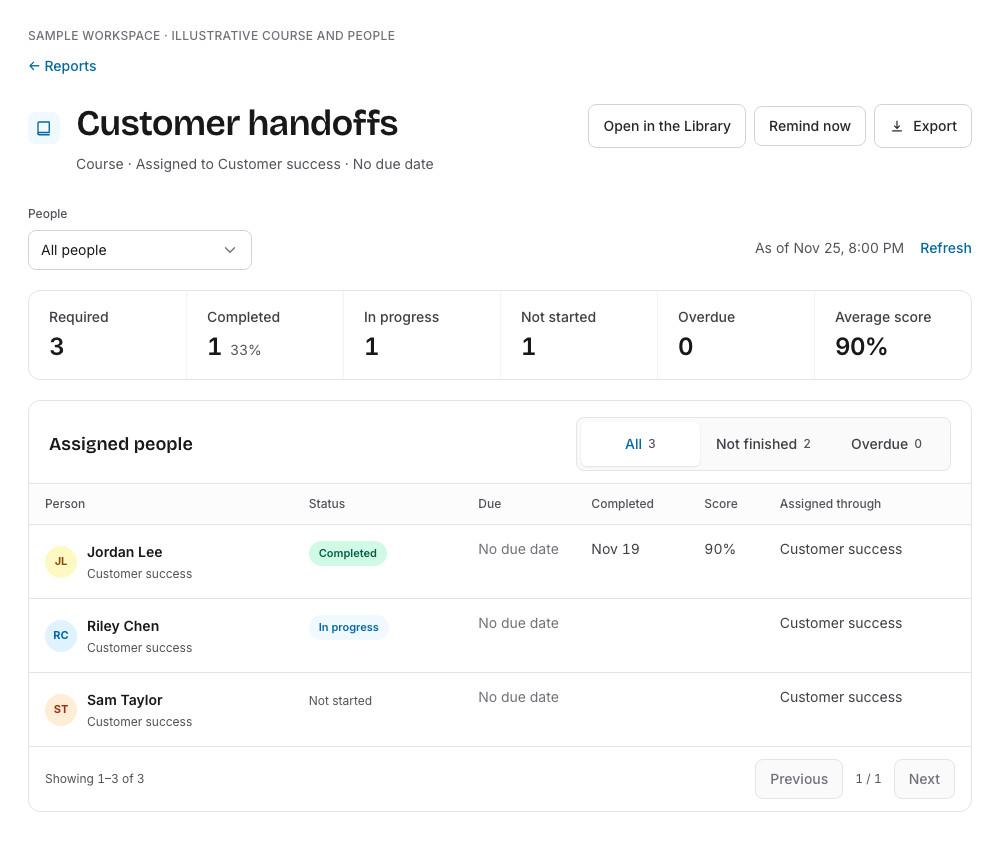
See who has finished and who needs a follow-up.
Every feature on every plan.
Unlimited courses, quizzes, assignments, certificates and reporting. Pick your team size.
14 days free. No credit card required.
See full pricing
Small Teams
$19/month
Up to 15 people
8 AI course generations a month
Teams
$49/month
Up to 50 people
25 AI course generations a month
Organizations
$149/month
Up to 250 people
75 AI course generations a month
Questions
Visit the help centerCan I build courses without AI?
Yes. Start with a blank course, write your lessons and add images, PDF attachments, video embeds and quizzes. Manual courses don’t use your AI generation allowance. Every plan includes unlimited courses.
Which files can I turn into a course?
Use text-based PDF, Word (.docx), Markdown, TXT, CSV or values-only Excel (.xlsx) files, or paste your text. AI creates editable training from the content. It doesn’t preserve file layouts, import packaged courses such as SCORM or import learner completion records. XLSX files with formulas or hidden content need a clean values-only copy or CSV export first. The upload form explains the file and source-length limits.
What does the free course preview create?
An outline and the first lesson, so you can read the result before signing up. It doesn’t create or save a full course. After signup, continue with your source material to generate and edit the full course. Uploaded files need to be selected again.
Is the SOP generator free?
Yes. Describe a procedure and review the full draft with no account. Create an account to save it, edit it later, download a PDF or turn it into a course. Free workspaces can create 3 new SOPs a month, and their PDFs carry a Kordo footer.
What’s included in the free trial?
Try Kordo for 14 days with up to 30 people and 10 AI course generations per calendar month. No card is required. The joining bonus starts with your first paid subscription. If the trial ends without a subscription, your courses and progress stay saved. The SOP generator remains available with the free monthly allowance.
How is my content used by AI?
When you use AI features, relevant content is sent to our AI providers to generate a response. This includes the public preview. Read our privacy policy before submitting sensitive material.